
Group Billing requires you to set a monthly budget for your team. This feature also offers you the flexibility to control and customize for each business as needed. Budgets can easily be adjusted for peak hiring seasons, new openings, etc.
How-to Customize Your Budget

- Log in to Culinary Agents
- Click "Employer" on the upper right corner of the website
- Click “Group Billing” on the left navigation menu
- Click “Edit” to the right of “Monthly Budget” and enter the total amount for the group
- Click “Save”
Additional Customizations
- Set a budget limit per business
A budget limit sets the maximum amount each business within your group is able to use of the total monthly budget.

- Click “Edit” to the right of “What is the budget limit per business?”
- Select “Max Budget” from the drop down menu
- Enter the maximum budget
- Click “Save”
- Create a special budget for a business
Special budgets are available to support your unique hiring needs (e.g., new openings, staffing needs based on varying sizes of individual businesses, etc.).
Note: Creating a special budget will override your budget limit for the indicated business.

- Click “Add a Business” to the right of “Would you like to create a special budget?”
- Select the business from the drop down menu
- Enter the maximum budget
- Click “Save”
- Create an exception, excluding a business from the “Bill to Group” checkout option
Excluding a business will deactivate the "Bill to Group" option at checkout for the specific business.
Note: By default, all businesses within a group are eligible to use the "Bill to Group" option at checkout unless indicated here.
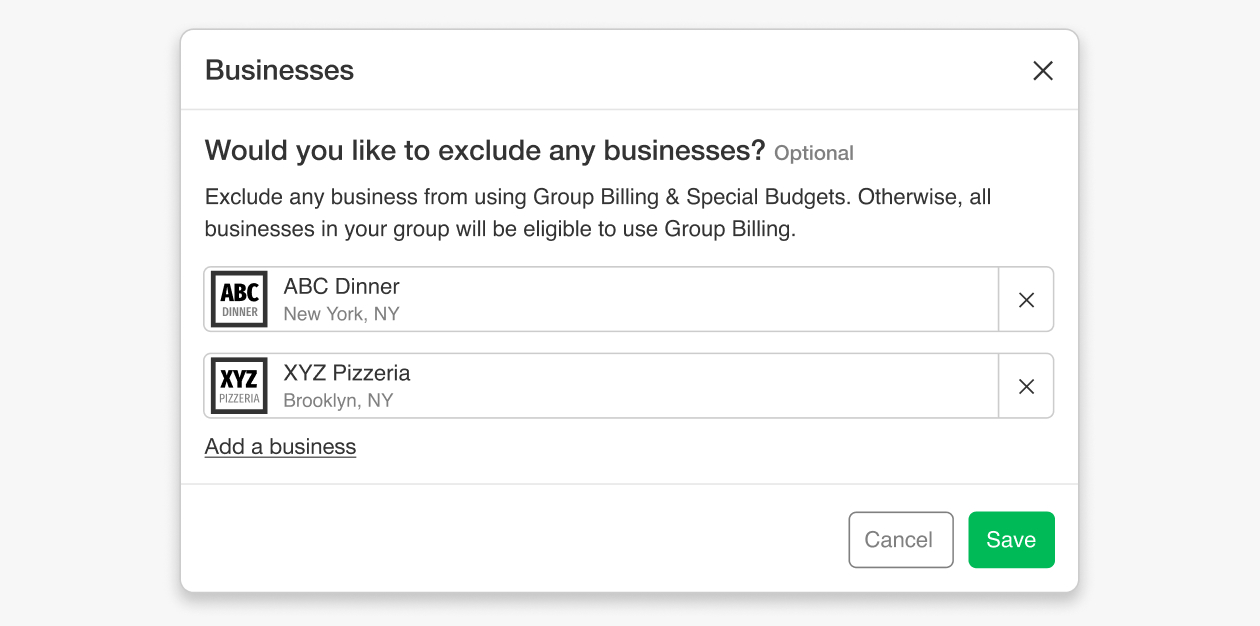
- Click “Edit” to the right of “Would you like to exclude any businesses?”
- Click “Add a business”
- Select the business from the drop down menu
- Click “Save”
If you have any questions, please message our Support Team.
Related Articles:


