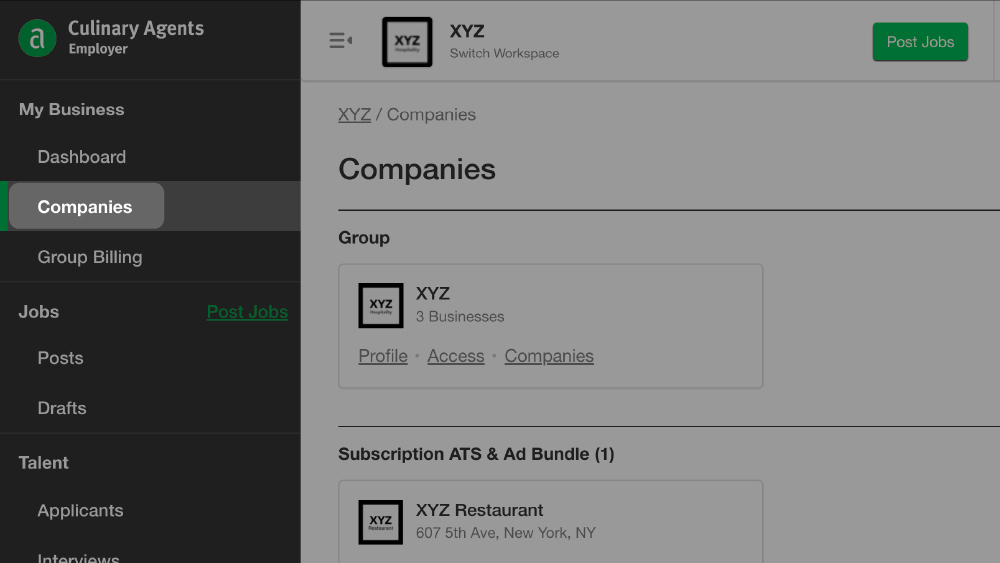
The “Companies” section of "My Business" is designed to help you easily manage your team’s profile(s).
If you have access to multiple business profiles you will find the shortcuts to all of them in this area. If your business is linked to a group, please be sure the corresponding group is selected as the “Current Group” at the top of your left menu.
In the “Companies” section, you can easily access the following for each business profile:
- Team details
- Billing details
- Job ad credits and monthly subscription details
- Profile settings
- Job posts
- “I Want To Work Here” submissions
To access “Companies” via “My Business”:
- Log into your Culinary Agents account
- Click "Employer" in the upper right corner of your screen
- Click the subsection “Companies” on the left navigation menu
Pro-tips:
- If your business is linked to a group, please check the “Current Group”; toggle to make sure you’re in the proper view.
- When viewing “Companies,” your individual business profiles will be organized by your posting plan type (e.g., monthly subscription, basic, etc.).
Access Shortcut Links:
- Team: View which team members have access to the profile as well as make updates to access (e.g., add/remove team members).
- Billing: View/edit current plan details, credit cards on file as well as view/download past transaction details.
- Settings: View/edit current settings including:
- Turning on/off “I Want To Work Here”
- Creating/editing Message Templates
- Editing Job Match Radius
- Editing Applicant Status Settings
- Editing Job Distribution Preferences (e.g., Job Boards, Social Media, Career Page)
- Jobs: Access active jobs by clicking on “Jobs”. You can also access “Drafts” and “Expired” jobs by clicking on the respective links.
- I Want To Work Here: Access “I Want To Work Here” Submissions. If this feature is not “On” you will also see an “Turn On” link to take you to the Settings page to turn it on if you wish.
Pro-tips:
- If you are a Group Admin (for multiple businesses linked to group profiles), the overview from the main page is organized based on the Group. To switch between groups and/or business profiles that are linked to different groups or not linked to groups, first select from the drop down menu in the "Group Admin" section.
- Access to specific details is based on the access level per team member for each business profile. For more details, click here.
- For a directory of tutorials for utilizing Culinary Agents for your business, click here.


