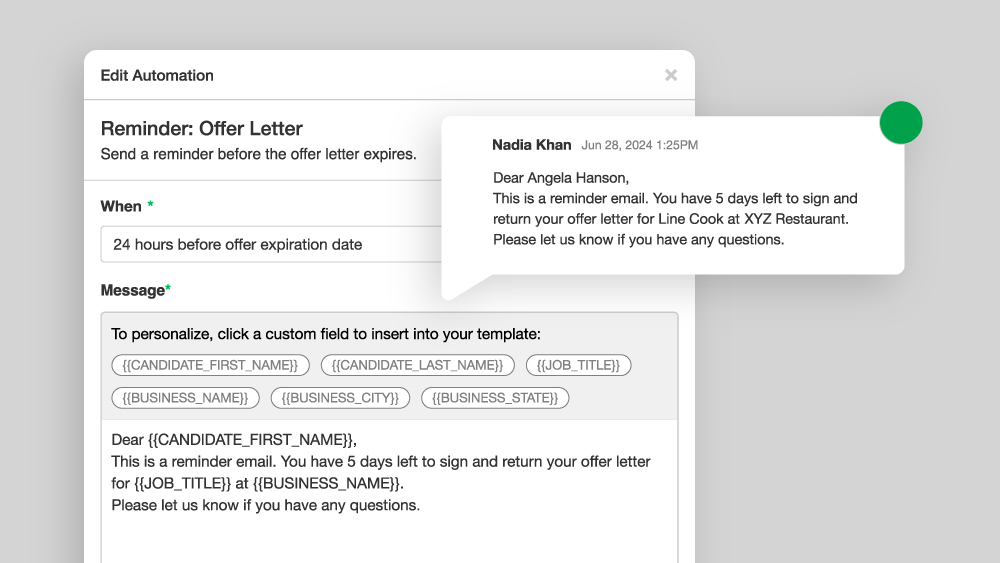
Workflow automations are a game-changer when it comes to saving time, reducing manual tasks, and ensuring consistency throughout your team’s hiring process. By automating repetitive actions — like sending confirmation messages — your team can shift its focus from administrative busywork to what really matters: building meaningful relationships with candidates. This time-saving feature is available to enterprise customers. To learn more, contact our team.
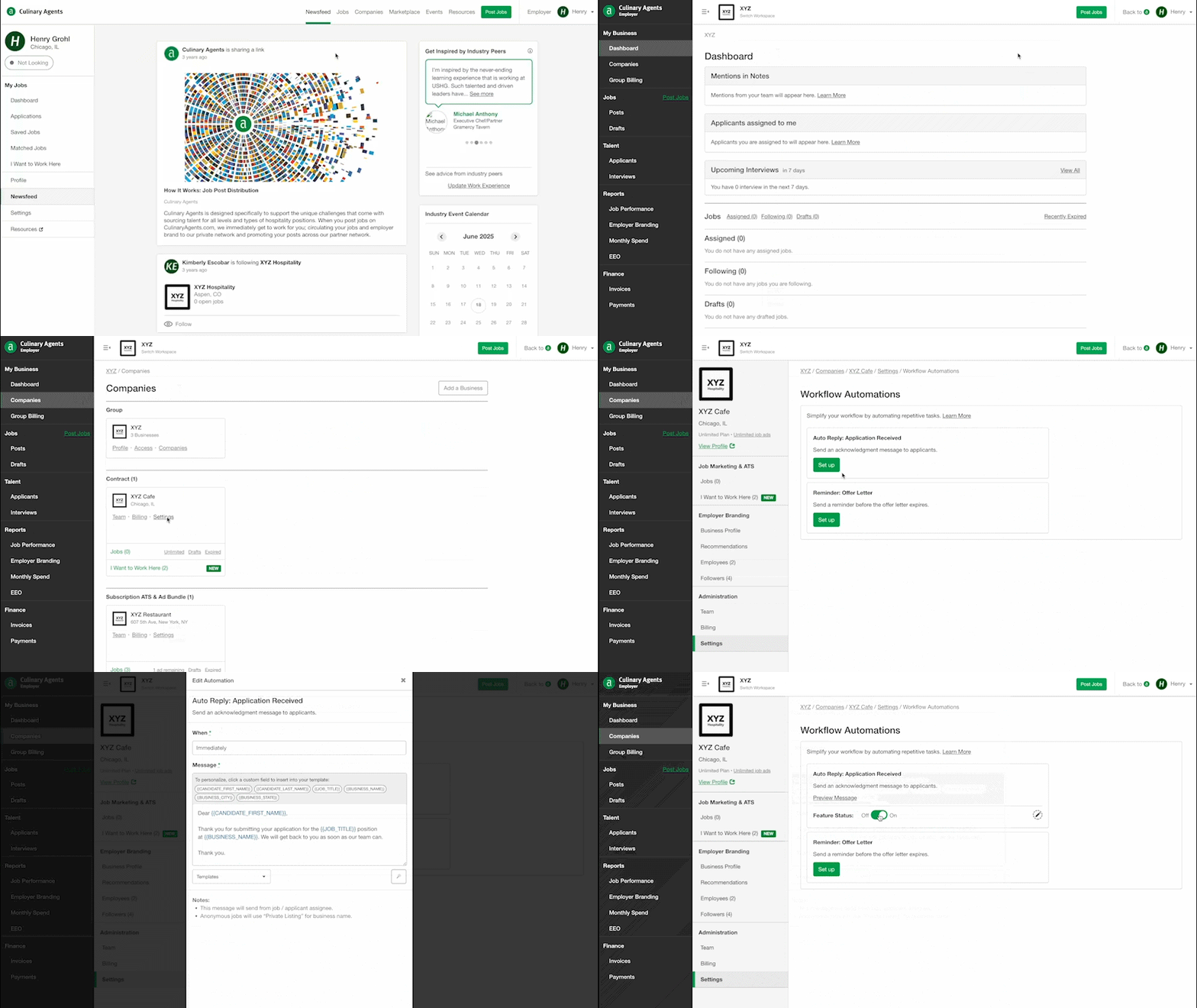
How-to Set up Workflow Automations
- Log in to Culinary Agents
- Click "Employer" on the upper right corner of the website
- Click "Companies" underneath "My Business" on the left navigation bar
- Click "Settings" on the specific business profile
- Scroll down to the "Workflow Automations" section
- Click “Set up” on the desired Automation
- Toggle the “Feature Status” to "On
Taking just a few minutes to configure these settings can result in significant time savings and smoother hiring operations. Not only will you streamline internal processes, but you'll also create a more polished, responsive experience for candidates. When used thoughtfully, automation becomes a powerful ally in optimizing your hiring strategy.
Pro-tip: Start small—experiment with one or two automations, see what works best for your team, and scale up from there.


