Overview
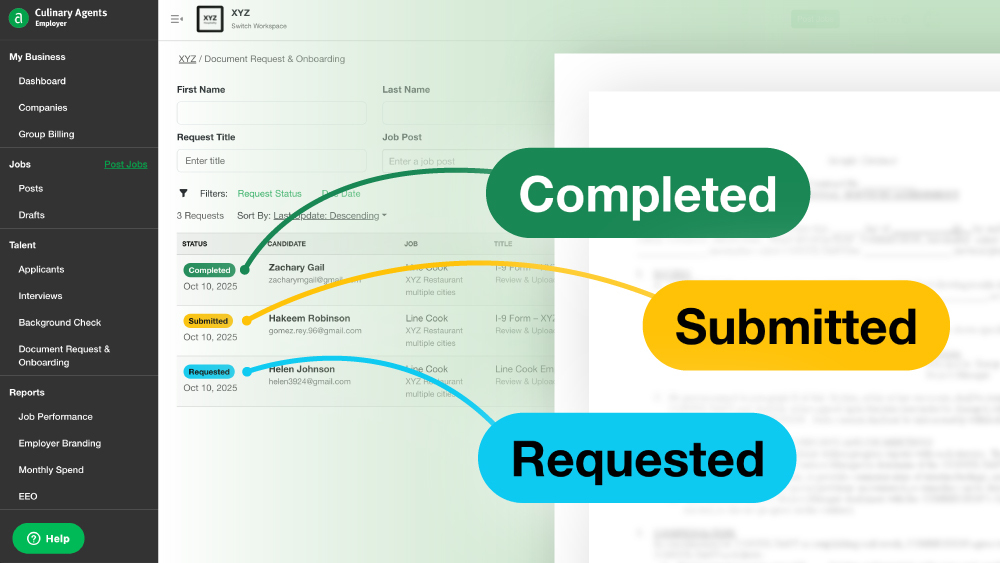
The Document Request & Onboarding feature streamlines the process of collecting, tracking, and managing required documents from applicants (such as offer letters, agreements, and acknowledgments). By centralizing all hiring documents in one place, this tool enhances your team’s workflow, makes files more accessible, and provides a clear, step-by-step process for applicants.
This feature is available for businesses on the following plans: Subscription ATS, Subscription ATS & Ad Bundle, Enterprise ATS.
For Business Users
Setup Process
To get started, create a new Request Template in your Business Profile Settings. These templates are profile-specific and become available directly in the Candidate Dashboard once set up.
-
Enter the title of the document.
-
Select the Request Type: “Acknowledgement” or “Review & Upload”.
-
Add instructions for the applicant to review when they receive the document.
-
Set a Due Date.
-
Click “Upload Document” to attach the file.
-
Click “Save”.
Sending & Tracking Requests
From the Candidate Dashboard, click on Request, select the desired template, review the contents, and send.
Pro Tips:
-
Admins and Managers assigned to the job can track requests for their candidates.
-
Admins can monitor all document requests via the left-hand navigation panel.
Progress Updates
Each request is tracked through the following stages: Submitted, In Progress, and Completed, providing full visibility into the status of each document. This allows you to manage multiple concurrent requests—such as stage agreements, references, offer letters, or I-9 forms—efficiently.
For Applicants
Notifications & Access
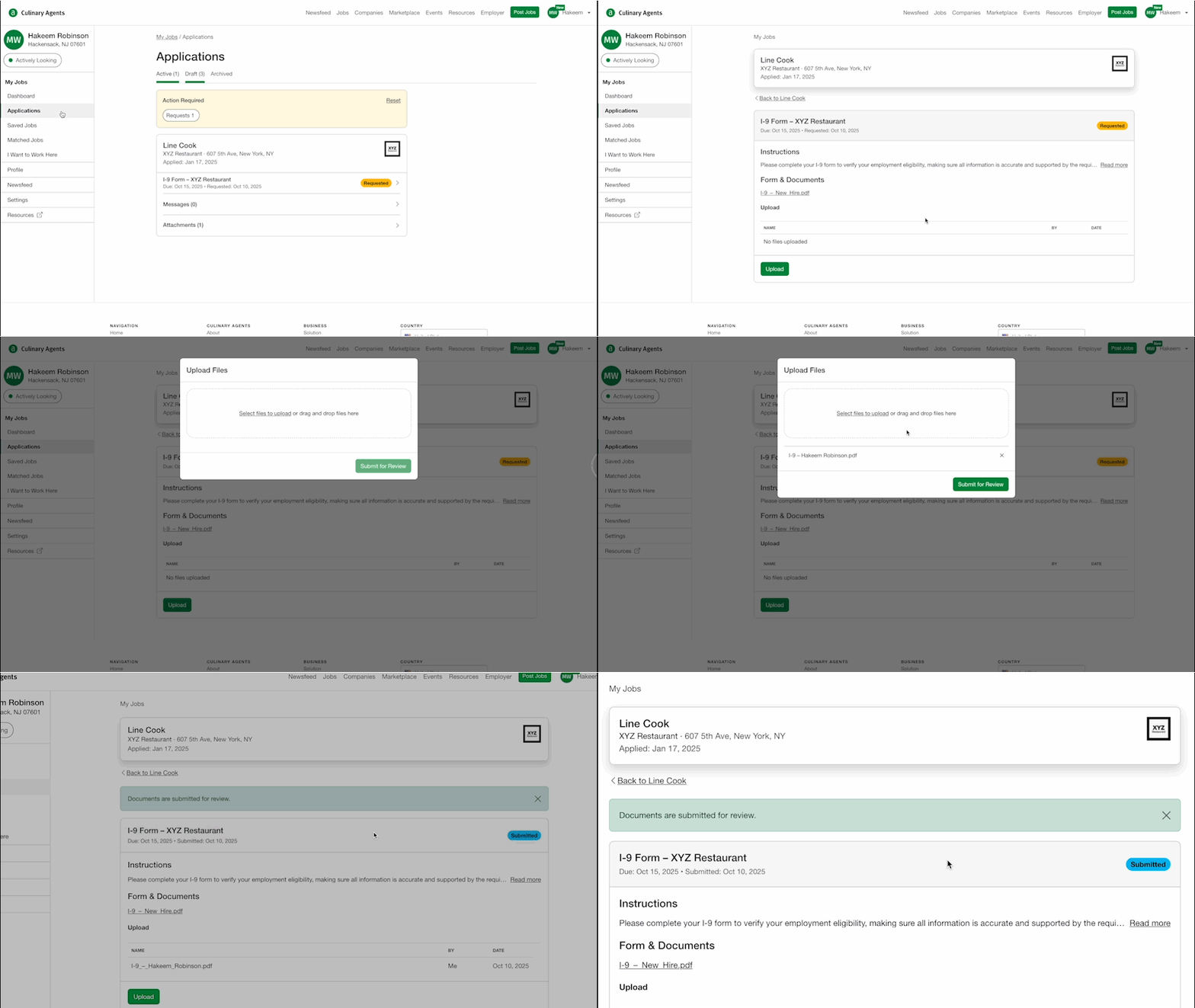
Applicants will receive instant email notifications when a document request is made. They can also access the request directly through their application portal.
Guided Tracking
From their personal dashboard, applicants can see real-time updates as their document requests progress through each stage, helping them stay on top of what is expected.
Managing Multiple Requests
Applicants can easily manage multiple requests simultaneously—such as for stage agreements, references, offer letters, or I-9 forms—keeping the process organized and transparent.
Summary
The Document Request & Onboarding feature ensures consistency, transparency, and speed, empowering businesses with a centralized document repository and providing applicants with a smooth, professional onboarding experience.
If you have any questions, please message our Support Team.


