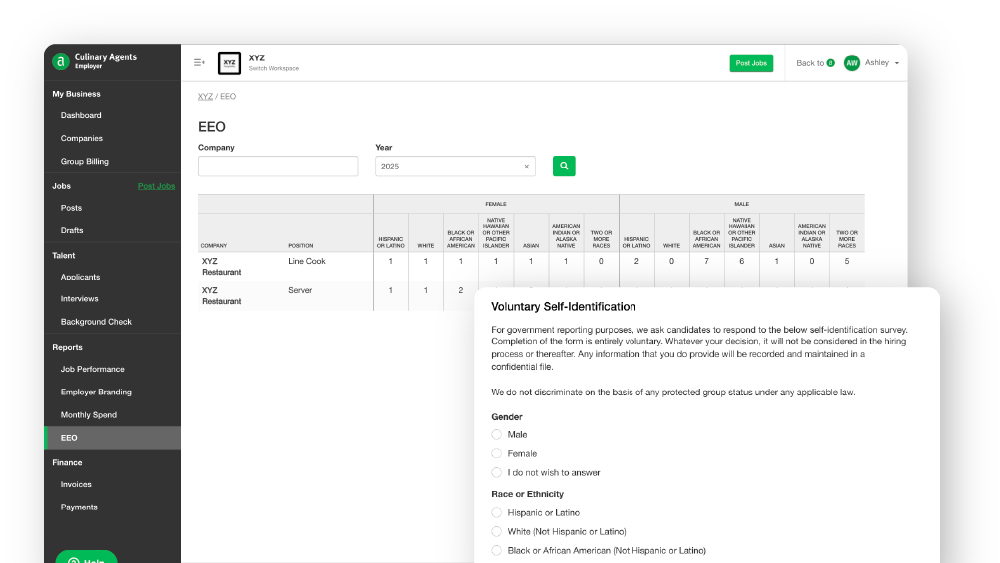
Our EEO (Equal Employment Opportunity) Survey Questions are designed to help your business comply with federal regulations when hiring in the United States. This features simplifies the process of collecting and reporting data on candidate demographics to the U.S. Equal Employment Opportunity Commission (EEOC), ensuring that your business adheres to EEO guidelines as well as promoting fairness and inclusion in your hiring process.
EEO Survey Questions provide:
- EEO Compliance: As an Equal Opportunity Employer, your business agrees to not discriminate against any employee or candidate based on race, color, religion, national origin, sex (including pregnancy), disability, or age. This feature helps your job applications meet EEO standards, supporting non-discriminatory hiring practices.
- Standardized Questions: To allow consistent data collection, these voluntary self-identifcation questions are included in the job application process and cannot be customized.
- Demographic Monitoring: To make it easier to track and report applicant demographics data to the EEOC.
- Data Summary for EEO Reporting: To simplify the process of submitting required reports to the EEOC by aggregating candidate responses for all jobs posted on Culinary Agents.airness and inclusion in the hiring process.

How-to: Activate EEO Survey Questions
Notes: EEO Survey questions can only be activated by an Admin of the Business Profile. Subscription ATS is required. This feature only is only available for jobs located within the U.S.
- Log in to Culinary Agents
- Click "Employer" on the upper right corner of the website
- Click " Companies" underneath "My Business" on the left navigation bar
- Click "Settings" on the specific business profile you'd like to activate EEO Survery Questions
- Scroll down to the "Additional Questions" section and toggle "EEO Survey Questions" to "On"

How-to: Access & Download EEO Report
Notes: The EEO Report page is only viewable to Admins of the Business Profile. The anonymized report displays cumulative data for all hired positions, organized first by gender and then by race. This report can be used to help complete your government report, but cannot be submitted directly to the federal government.
Only "Hired" applicants will be included in the report tally. Be sure to update their status on the Candidate Dashboard.

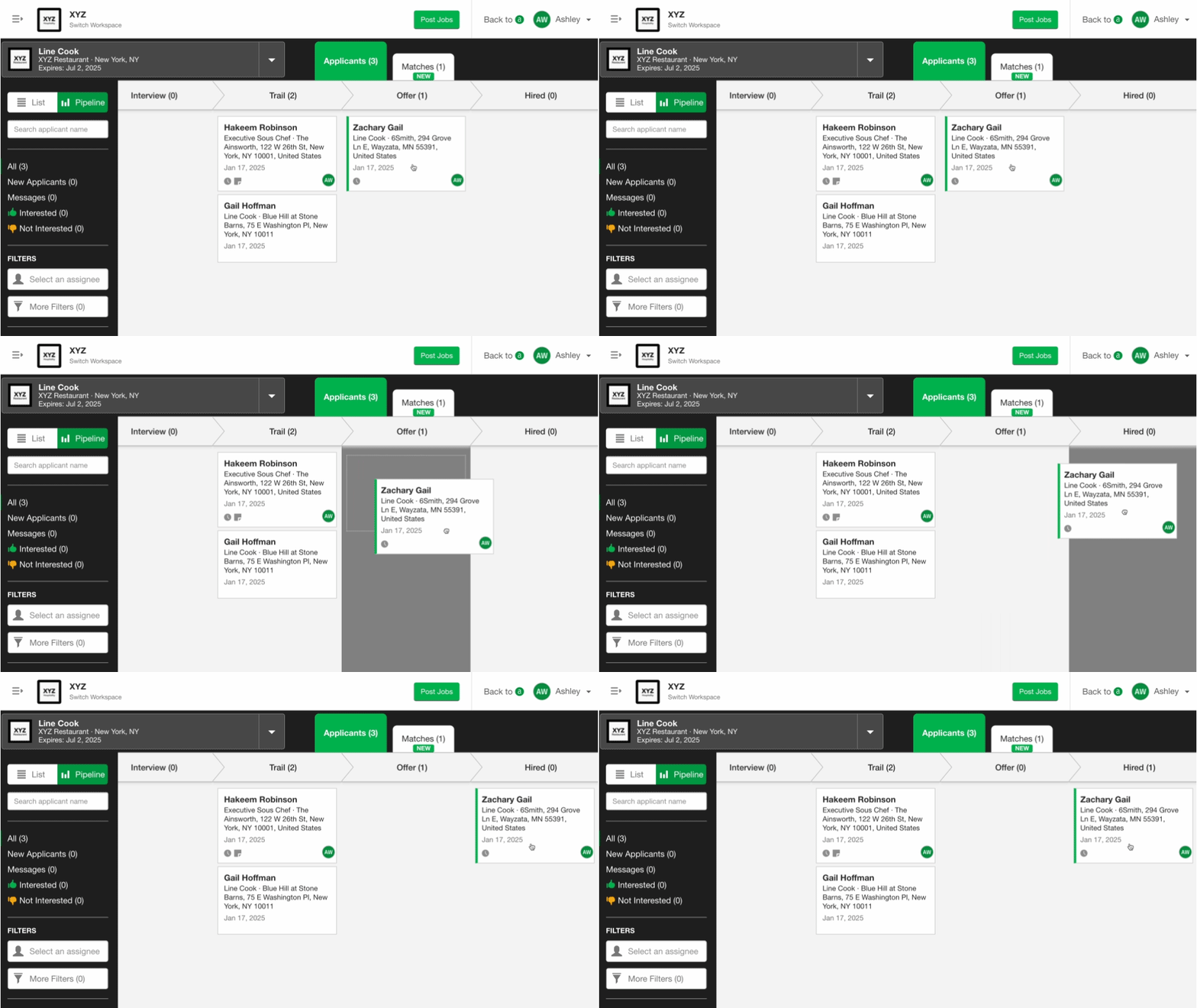
- Log in to Culinary Agents
- Click "Employer" on the upper right corner of the website
- Click "EEO" underneath "Reports" on the left navigation bar
- Select the "Company" and "Year" for your desired report
- Click "Download"


