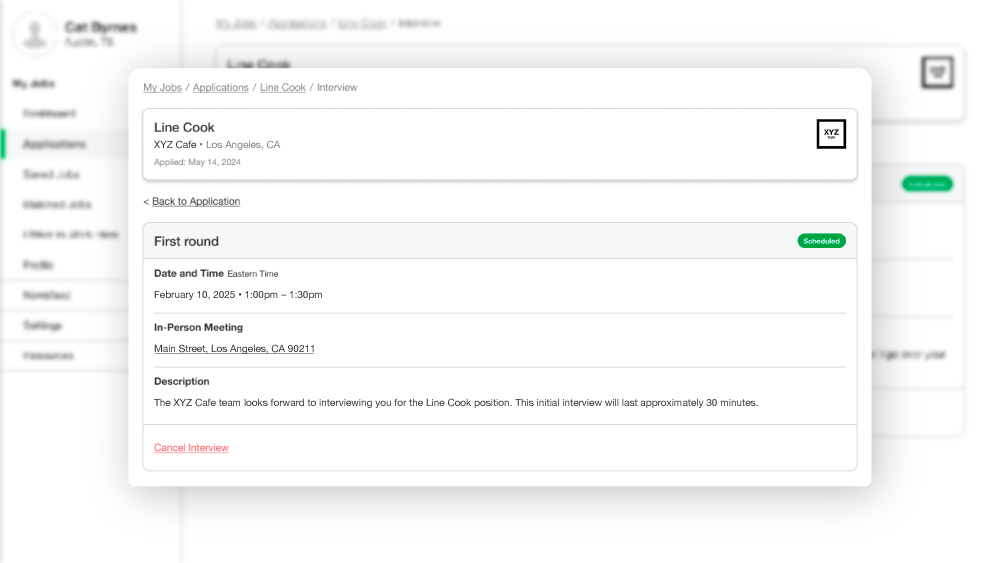
Managing interviews during your job search can feel complicated, our Interview Scheduler makes it simpler. It helps you stay organized and communicate seamlessly with potential employers. When businesses use the tool to schedule interviews, you’ll receive requests for either a pre-agreed time or a selection of available slots to choose from, whether for in-person, virtual, or phone interviews.
You can follow up on any interview request by visiting your Active Applications.
After a Business Shares Available Time Slots, You Can:
- Select Your Interview Slot: Choose from the available time slots offered by the employer.
- Propose a New Time: If the offered times don’t work for you, suggest a new time that fits your schedule.
- Cancel Interviews: If needed, you can cancel an interview and send a message to the hiring team to keep things professional.
After a Business Confirms Your Interview Time, You Can:
- View the Details: Access the interview invitation in your Active Applications.
- Cancel the Interview: If necessary, cancel and send a courteous message to keep things professional.
Pro-Tip: Always cancel an interview in advance if you’re unable to attend. Doing so prevents a "No Show/No Call" situation and demonstrates professionalism, ensuring you remain in consideration for future opportunities.


